Start with the job, then identify the exact accessory. A wall mount, vehicle mount, power cable and Ethernet cable solve different problems. These examples come from Starlink’s Mini accessory guide; they are not a record of Dishwits installation or durability testing.
Choose the next check for your setup
For a fixed location, start with the mount and cable route. For vehicle or battery use, resolve power and service rules together. If your current setup works, identify a specific missing capability before adding equipment.
Use the parts-list worksheet to record the job, exact model, supporting instructions and complete cost of each proposed addition.
Mounts: check the surface and fit
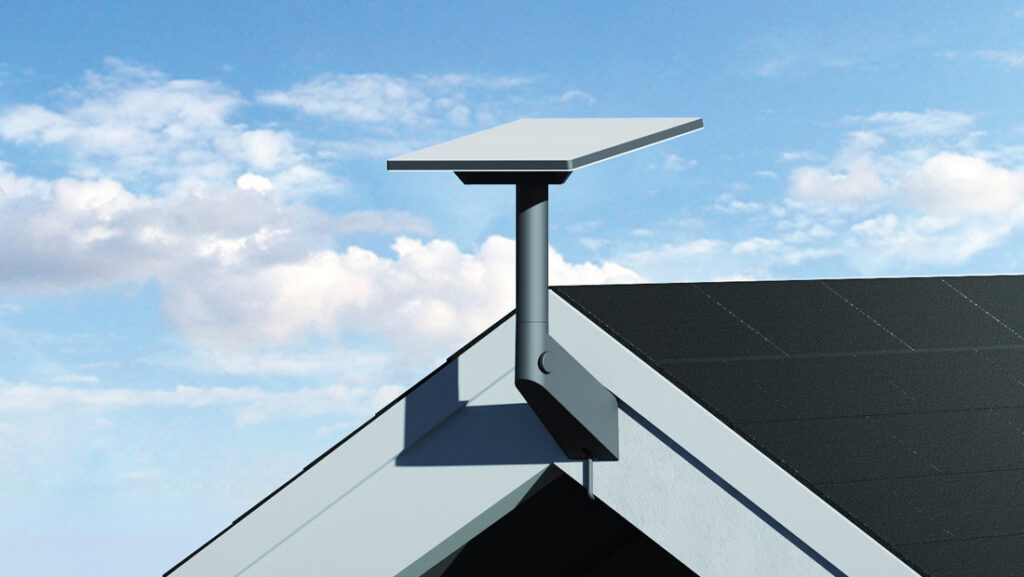
The named Mini Wall Mount lists Compatibility: Starlink Mini Source Checked and allows an overhang of 4 inch (4") overhang maximum Source Checked . Check the surface, fasteners, cable route and clear sky view before choosing a permanent location.
For the separate Mini Roof Rack Mount, the listed bar dimensions are Bar thickness 12 mm (0.47 in) to 48 mm (1.9 in); maximum width 88 mm (3.5 in) Source Checked . Its profile restriction is Not intended to be mounted to round-profile bars Source Checked . A mount fitting the roof rack does not establish permission to operate the service while moving. Work through the parked and moving-use checks separately.
If you choose the Mini Pipe Adapter and Flat Mount, note: Flat mounting fasteners not included Source Checked . Identify any additional installation hardware before treating the accessory price as the full installed cost.
Power: car adapter or a separate USB-C source?
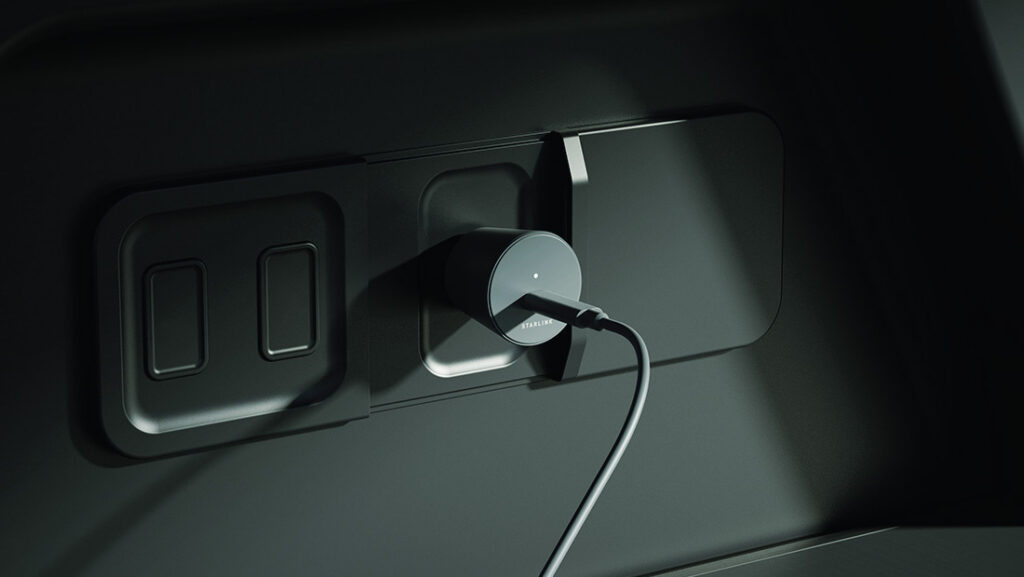
The Mini Car Adapter is specified for 12–24 V automotive auxiliary power outlet (cigarette lighter) Source Checked . Its listed contents are Kit contents: Mini Car Adapter, Mini USB-C Cable Source Checked . Confirm the socket’s suitability and follow the accessory installation instructions.
The separately listed Mini USB-C Cable is 5 m (16.4 ft) Source Checked . Its required source is 100 W USB PD, 20 V/5 A minimum, with the Starlink USB-C-to-barrel accessory Source Checked . Do not equate the terminal’s average consumption with the charger’s required output rating. Check the rating of the exact port and cable you intend to use.
See the portable-power guide before estimating runtime. Dishwits has not tested a battery, car socket or cable combination.
Data cables: check the ends, not just the length
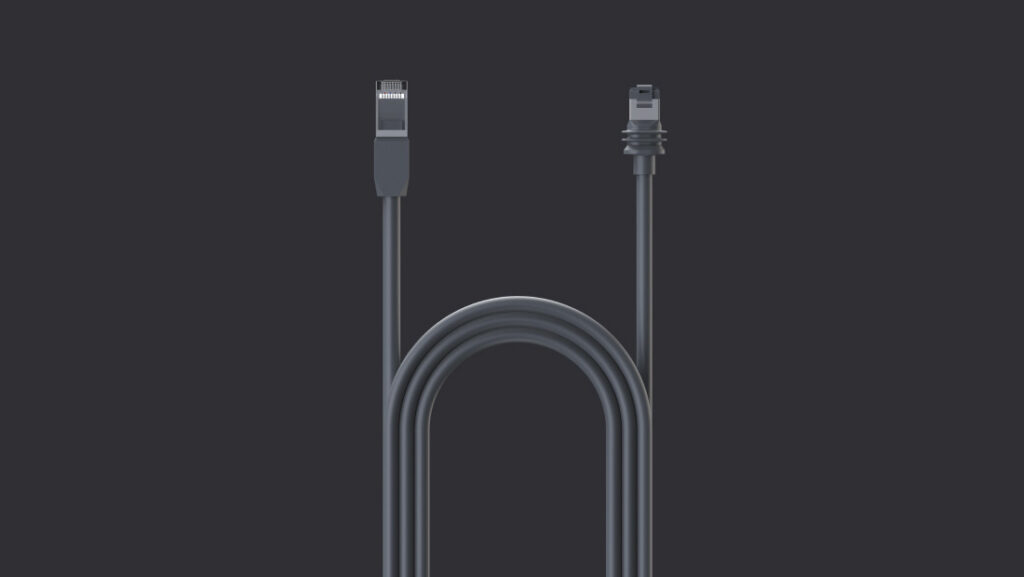
The named Mini Starlink Ethernet Cable length is 15 m (49.2 ft) Source Checked . It is distinct from a DC power cable. Compare the connector housings with the manufacturer’s illustration and your intended connection.
The Mini specification warns: Using a standard RJ45 cable removes the Mini’s IP67 rating Source Checked . Treat weather sealing as a requirement of the whole connection, rather than an assumption based on the terminal alone.
Avoid buying an unnecessary upgrade
List the parts already in your Mini kit. Buy an additional mount or cable only after identifying a specific installation requirement, damaged component or missing part. Extra hardware does not fix an unsuitable sky view or an ineligible service plan.
No current accessory price or stock is verified here. After resolving compatibility, confirm the exact item and total in the actual offer. For another kit, use the cross-model accessory guide; do not transfer these Mini requirements to Standard or V5.
Sources
Starlink Mini accessory guide (PDF), rechecked 2026-09-13 UTC. Power-source and weather-seal records also use the Mini specification sheet.