Start with the network and installation you need, then check whether the documented Standard 4 X bundle fits. A familiar dish shape or the word “Standard” in a listing does not identify the complete kit.
Match the manufacturer’s Standard 4 X document title, terminal, included router and power equipment to the offer. Use the Which Starlink hardware do you have? Identification and support documentation directory. for equipment you already own. Do not use the specification filename as the model name.
What will matter in your setup?
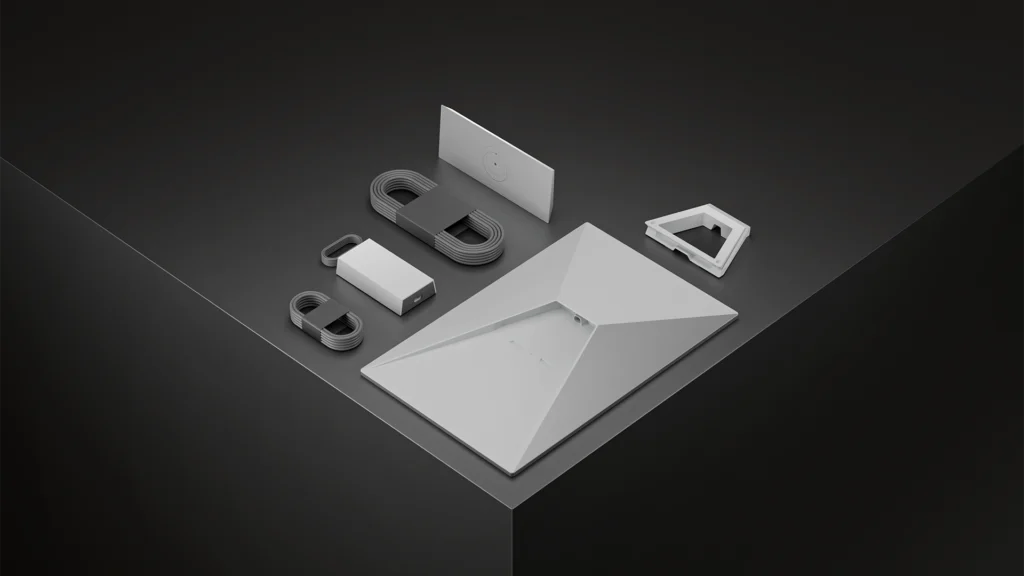
Wired device count, indoor coverage questions and the Router 3 layout matter as much as the dish name. Confirm Standard 4 X contents before buying extra networking gear.
What the manufacturer documents
These figures are manufacturer specifications, not Dishwits measurements. Table weight is bare-terminal only; kit weight differs because the kickstand, cable, Router 3 and power supply are excluded from that figure. Average power is not a battery-runtime guarantee or a charger rating. The measurement boundary (AC/DC, terminal vs kit components) is not stated on the sheet; do not infer. These fields do not establish the demand of your complete network.
Swipe or scroll sideways to see the full table. With a keyboard, focus the table area and use the arrow keys.
| Item | Documented value |
|---|---|
| Bare terminal weight | 2.9 kg (6.4 lb) Source Checked |
| Manufacturer average power consumption | Average: 75–100 W Source Checked |
| Included router model | Router 3 Source Checked |
| Router Ethernet LAN connections | Two (2) latching Ethernet LAN ports under a removable cover Source Checked (Router 3, as supplied) |
Check the network you will connect
The documented router is Router 3 Source Checked . Count your required wired devices against the Router 3 LAN ports as supplied before buying extra network equipment. Port count alone does not establish the coverage or speed you will achieve.
Buy a mount for the named model
The manufacturer pipe-adapter compatibility list is Standard 4, Standard 4 X and Enterprise Source Checked . Named Standard Pipe Adapter pole size: Minimum 31 mm (1.25 in); maximum 63.5 mm (2.5 in) in prose, 63 mm in the dimension callout — upper limit disputed; metal pipe only, not PVC/plastic. Source Checked . Disputed upper limit; no fit or safety guarantee. Do not treat a measurement at the disputed upper boundary as a confirmed fit. The named ridgeline mount has separate limits: Metal and shingled roofs with slopes less than 45 degrees; not recommended for clay tile roofs; wind rating up to 80 kph (50 mph) Source Checked . Do not apply a mount’s wind rating to the terminal as a whole.
Check whether Standard 4 is actually being offered
Standard 4 has a separately documented router bundle. Ask for the exact model and the complete kit contents if a retailer description is ambiguous.
Plan the dish and indoor network together
- List the wired devices. Note which devices need a cable and where they sit. Compare those needs with the documented LAN connections before selecting additional network equipment.
- Map the indoor coverage you need. Include separate rooms and outbuildings in your questions. A manufacturer coverage figure or Wi-Fi generation alone cannot establish the result in your building.
- Plan the route back to the dish. Record the proposed mounting surface, cable entry and power location. Check the instructions for the exact bundle.
- Review the full installation cost. Include the kit, named mount, any extra networking equipment, labor and service. Keep unresolved items visible in the estimate.
Continue with the installation planning guide and Standard accessory guide before settling on a parts list.
Check the actual offer and service rules
Use the U.S. plans guide to understand the questions to ask. Then confirm the exact kit and service offer for your location, including hardware, recurring service, shipping, tax and installation charges. The specification sheet does not establish address-specific availability, stock or a checkout total.
When to wait / do not buy
Resolve an obstructed sky view, an unsuitable mounting location or an uncertain power connection before paying for equipment. Compare an available wired connection against the full installed and recurring cost. Do not buy a used or third-party bundle until you have checked the exact model, missing parts, account transfer requirements and service eligibility.
Continue your comparison
Compare the documented kits · U.S. plans and costs · Accessory compatibility · Installation planning
Dishwits has not tested these claims in the field.
Sources
Starlink Standard 4 X specifications and Starlink Standard accessory guide checked 2026-09-13. Individual fact records carry their own check and recheck dates; an unresolved or expired record must not be treated as an approved buying claim. No firsthand performance test, hardware-price verification or commercial result is claimed.